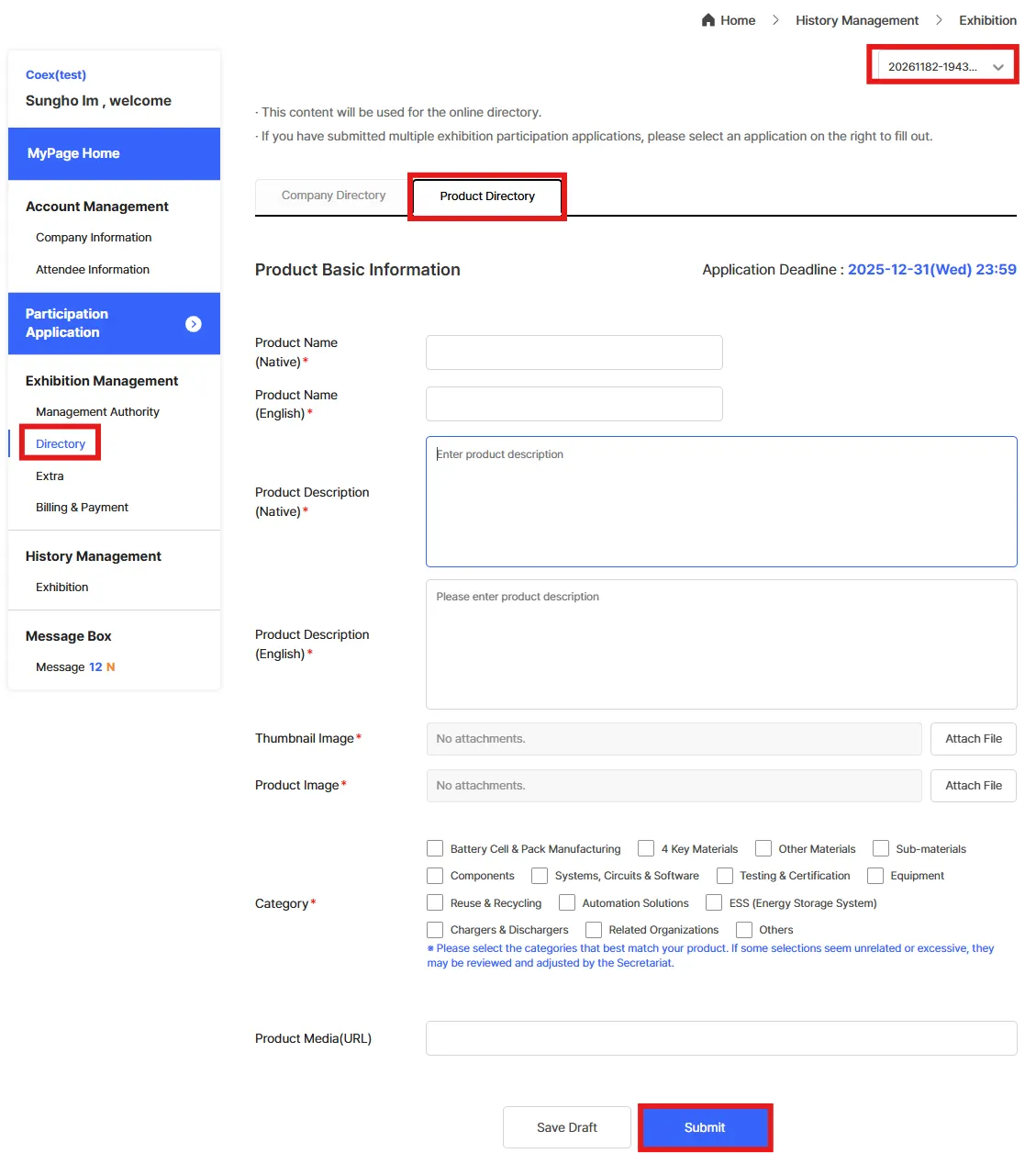
※ Directory Submission Deadline: December 31, 2025
1.
From the left-hand menu, go to [Exhibition Management] > [Directory]
2.
From the list on the right, select the [Application Form] for which you wish to create the directory entry.
* Only approved applications can create a directory entry.
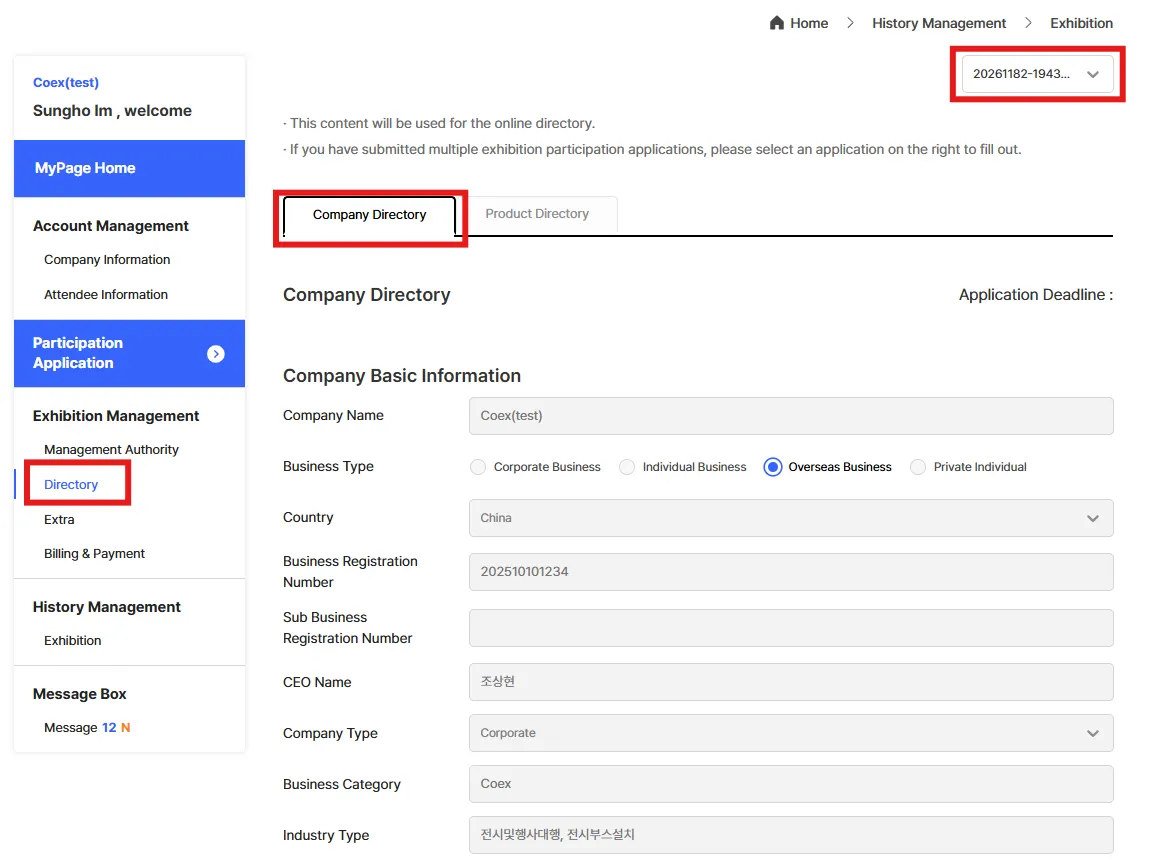
Company Directory Entry
1.
Company Basic Information
•
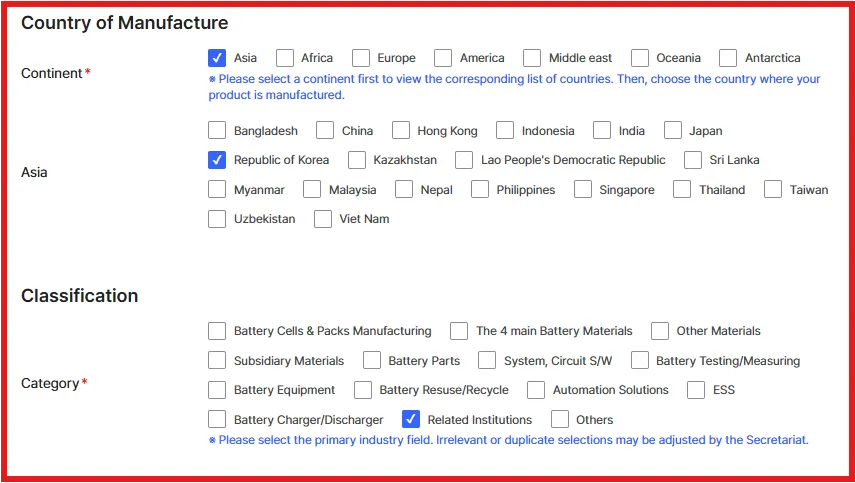
Country of Manufacture / Category
•
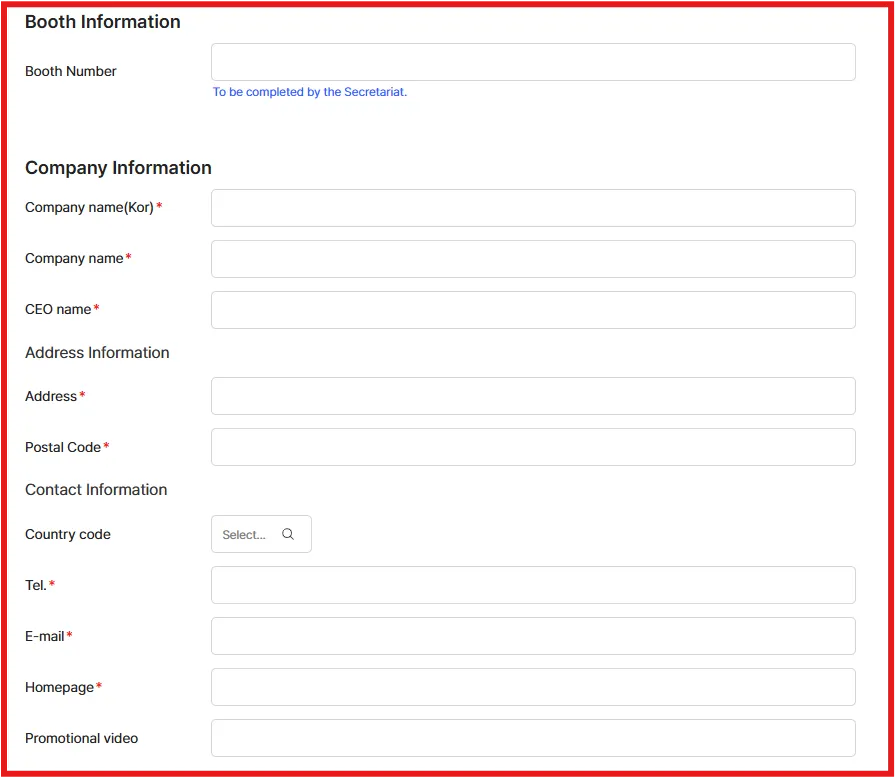
Booth Information (entered by Secretariat)
•
Company Basic Information
•
Address / Contact Information
2.
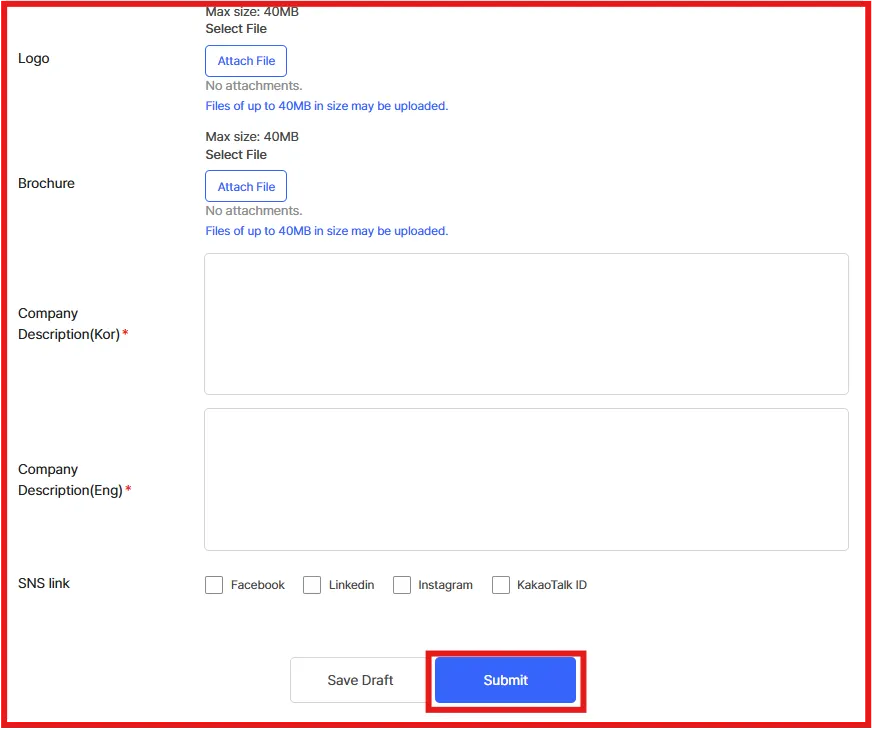
Company Introduction
•
Upload Company Logo (required) and brochure (optional)
•
Enter Company Description (Korean / English)
•
Add SNS Information
•
If there are any problems uploading files, send via email connect@interbattery.kr
Product Directory
1.
Click [Register Product]
2.
Fill in Product Information and upload Product Image
3.
If there are any problems uploading files, send via email connect@interbattery.kr
4.
Multiple product uploads are allowed.