1.
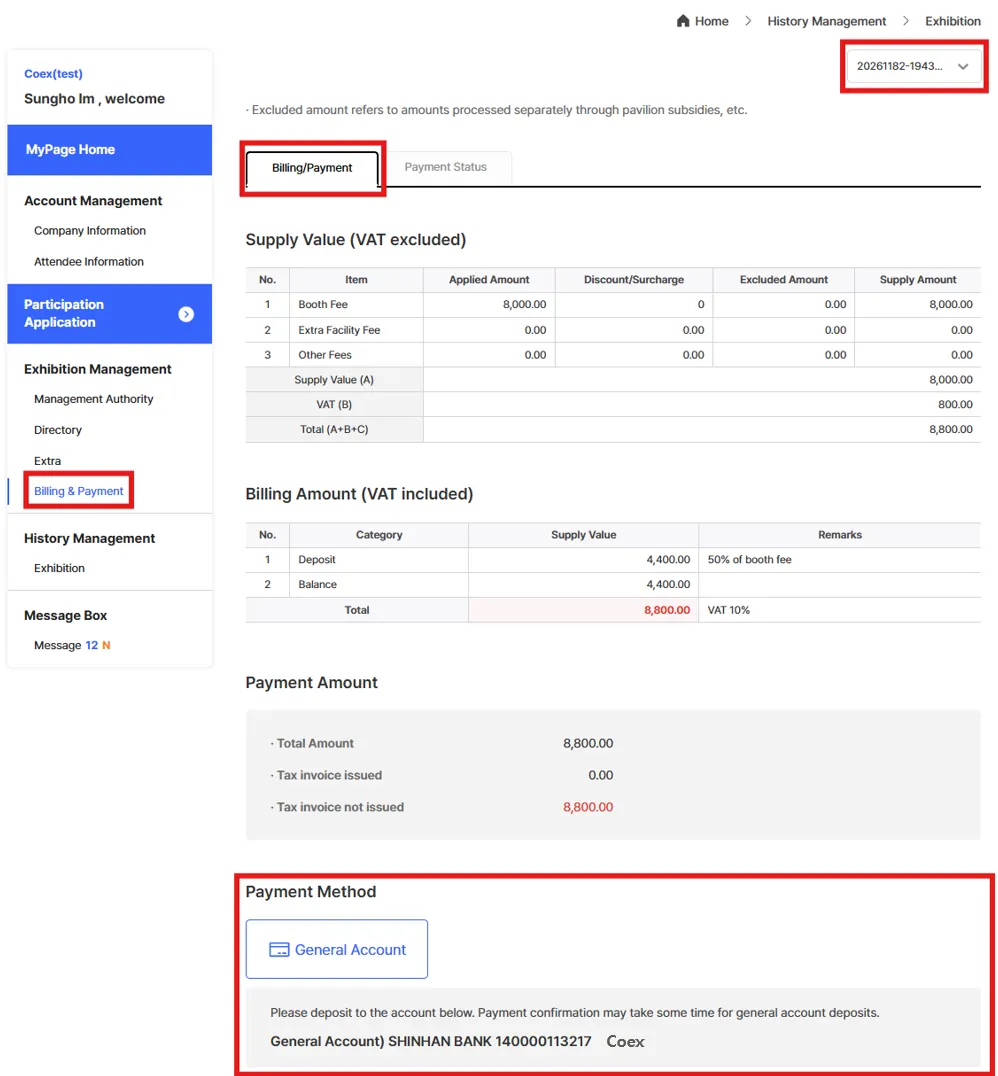
Go to [My Page] > [Exhibition Management] > [Billing & Payment]
2.
Check your participation fee details under the [Billing/Payment] / [Payment Status] tab.
3.
Make a Payment under the [Billing/Payment] Tab
•
General Account (Bank Transfer)
◦
Please note that payment confirmation may take some time when paying via standard bank transfer.
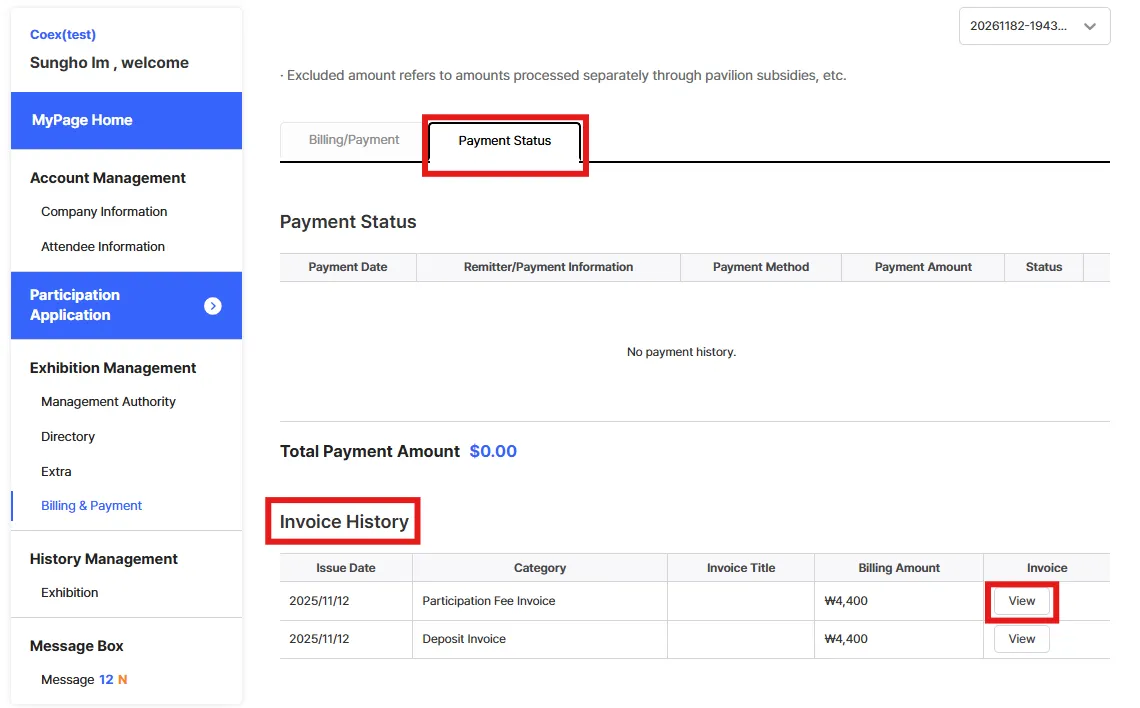
4. Check Payment Status and Invoice under the [Payment Status] Tab
•
Review your payment history under [Payment Status].
•
Check the list of invoices under [Invoice History].
•
Click [View] in the invoice list to check and download your invoice.
•
Please note that invoices for deposits issued through the previous Cyber COEX system may not appear.
In such cases, please refer to the invoice you received via email or contact the Secretariat for assistance.