1.
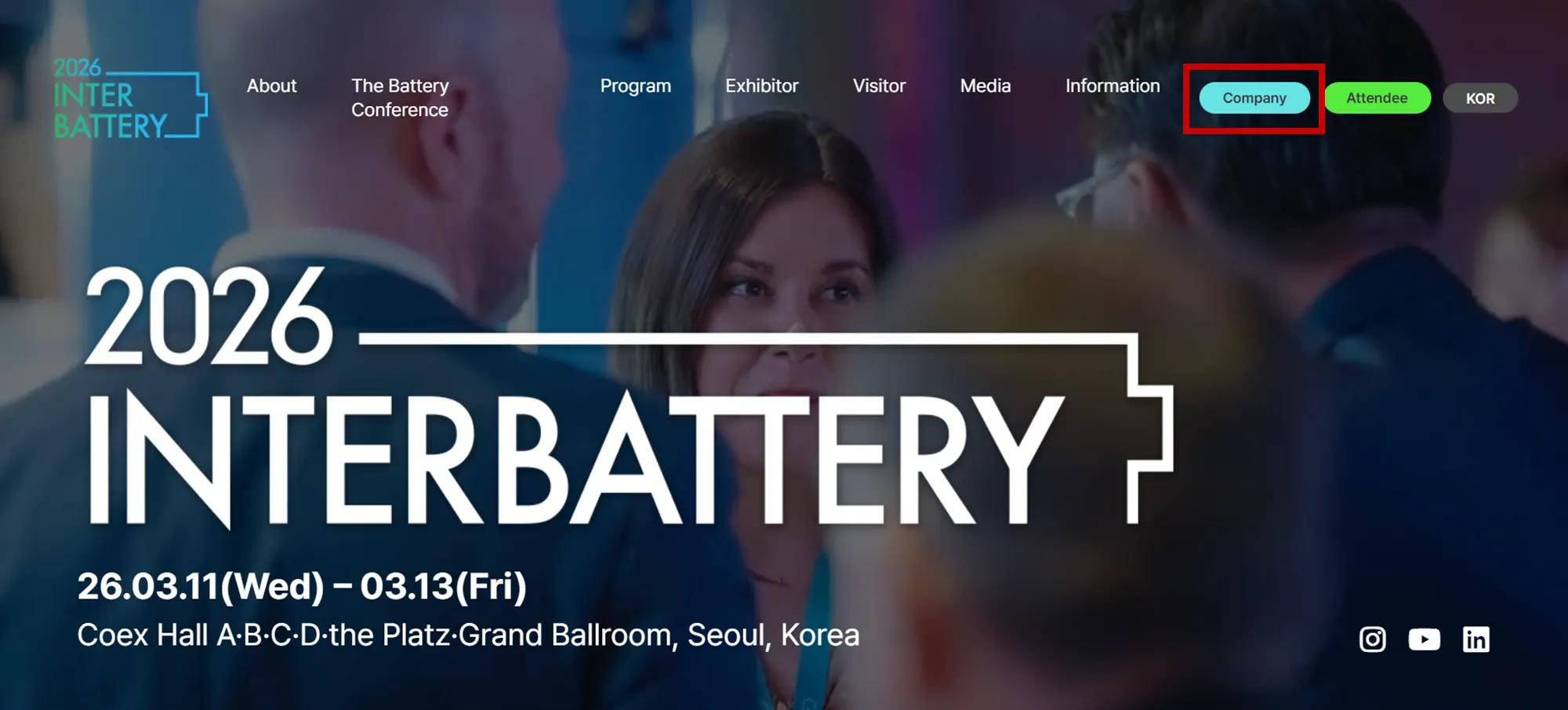
Click [Company] on the InterBattery homepage
2.
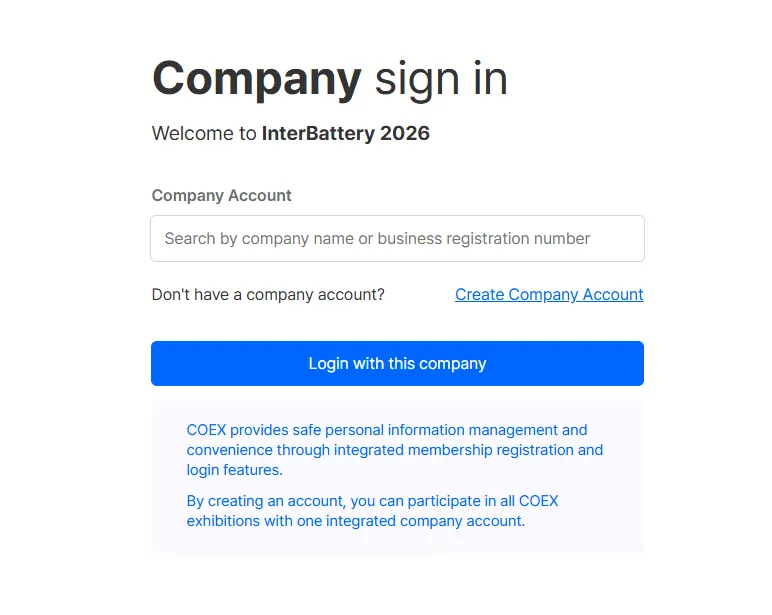
Company sign in
(1) For Companies with Previous COEX Exhibition History:
•
Please log in using your Company Name OR Business Registration Number.
•
Important: If multiple company accounts appear due to past participation, you must use the account registered with your Business Registration Number.
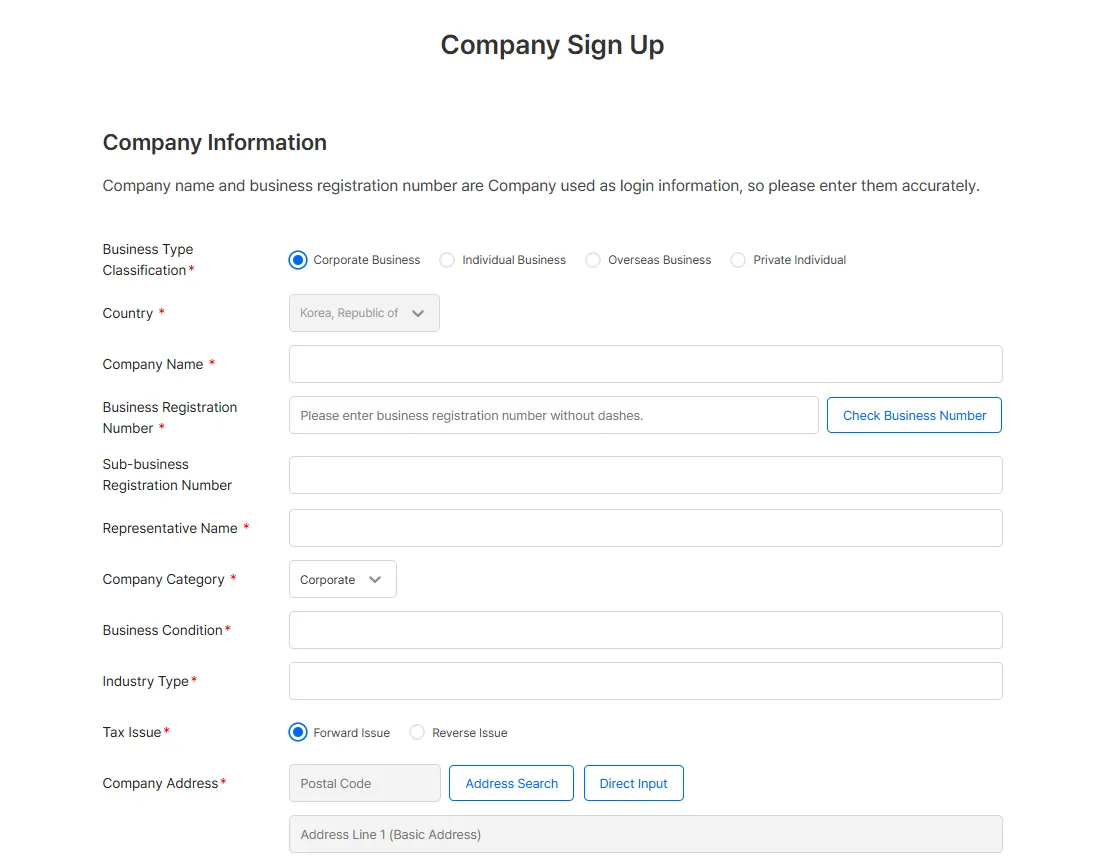
(2) For Companies Without Previous COEX Exhibition History:
•
Please select ‘Create a Company Account’
•
Note: This company information will be used for future services, such as Business Matching.
Please complete all details thoroughly.
3.
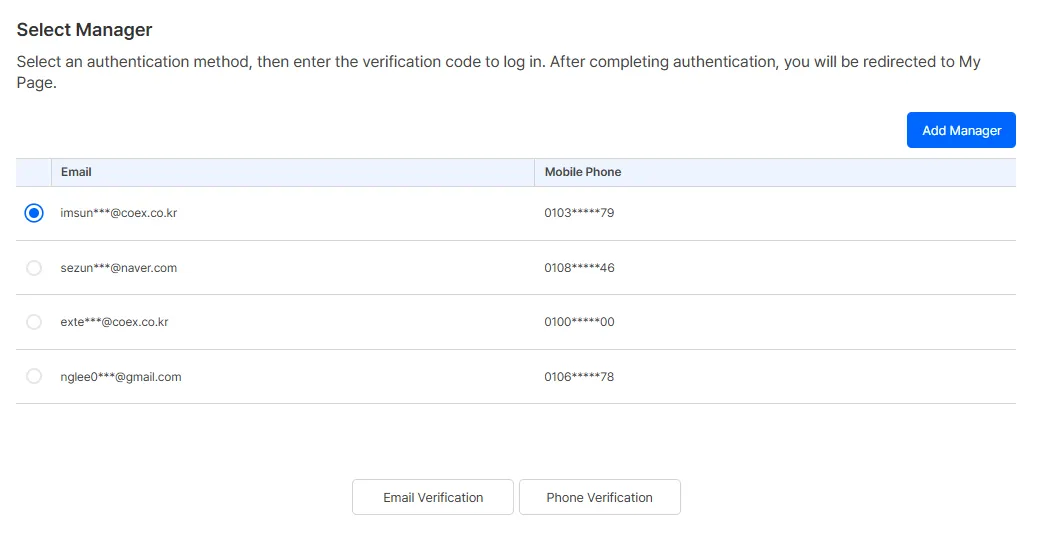
Verification: Select Contact Person & Authenticate
•
Select the contact person and proceed with either Email or Mobile Phone verification.
•
Recommendation: We highly recommend Email Verification for a smoother procedure.
•
Note: The person designated when the initial application was submitted is registered as the ‘Main Contact Person’ (Application Management Authority).
4.
Confirmation: Review Company and Attendee Information
Please review the following information within MyPage
•
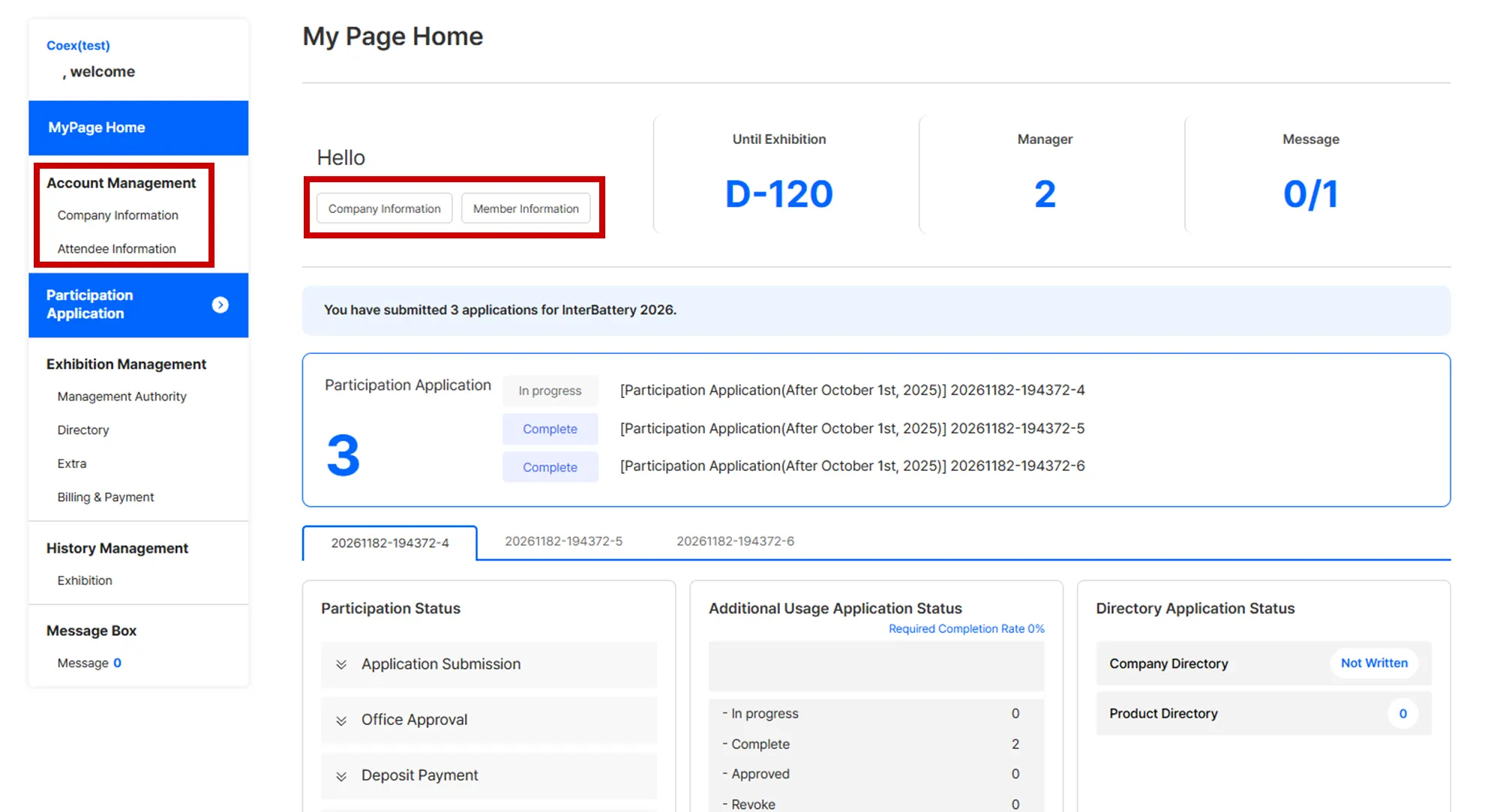
Company Information
•
Attendee Information (Contact Person’s basic information & Marketing Consent)