
To Confirm the Application Form
1.
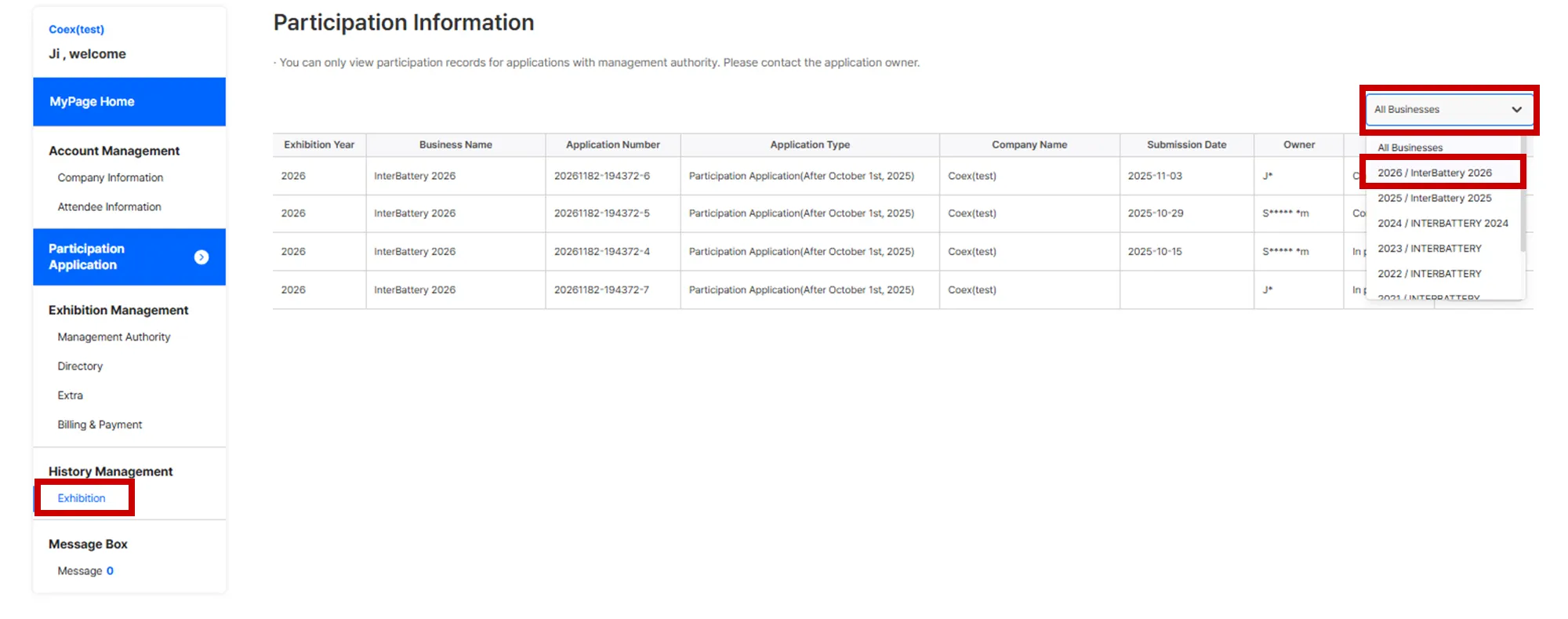
In MyPage, navigate to [History Management] > [Exhibition], and select [2026/ InterBattery 2026]
•
You can check applications that are being drafted or have been submitted.
2.
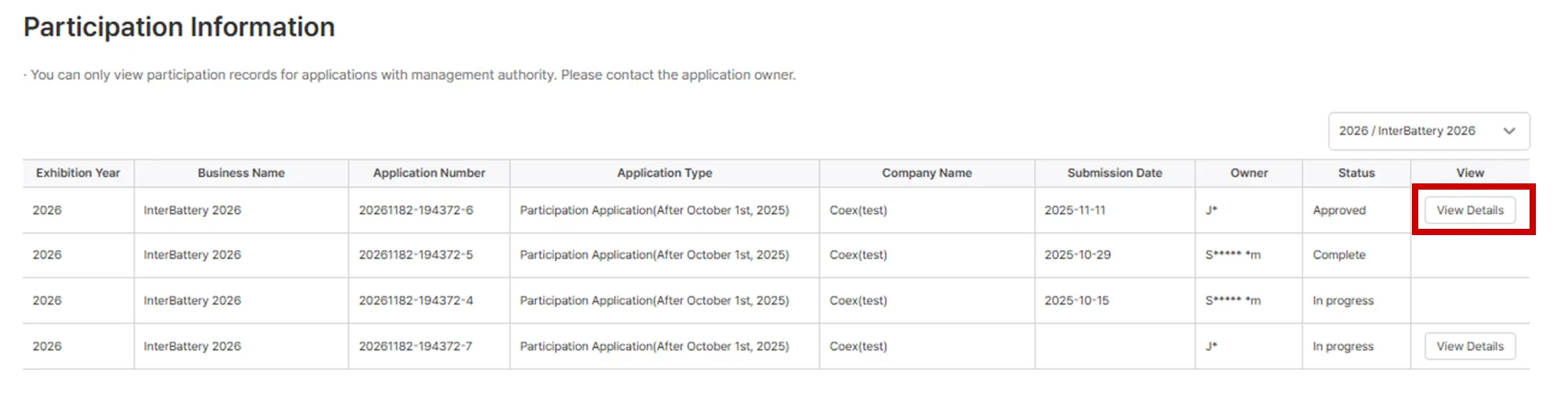
Click [View Details] to review the completed application form.
To Modify the Application Form
1.
Before Administrator Approval
•
Click [Cancel Submission] to modify the application content. (The status will change to ‘In progress’)
•
After making corrections, you must click the [Submit] button.

2.
After Administrator Approval
•
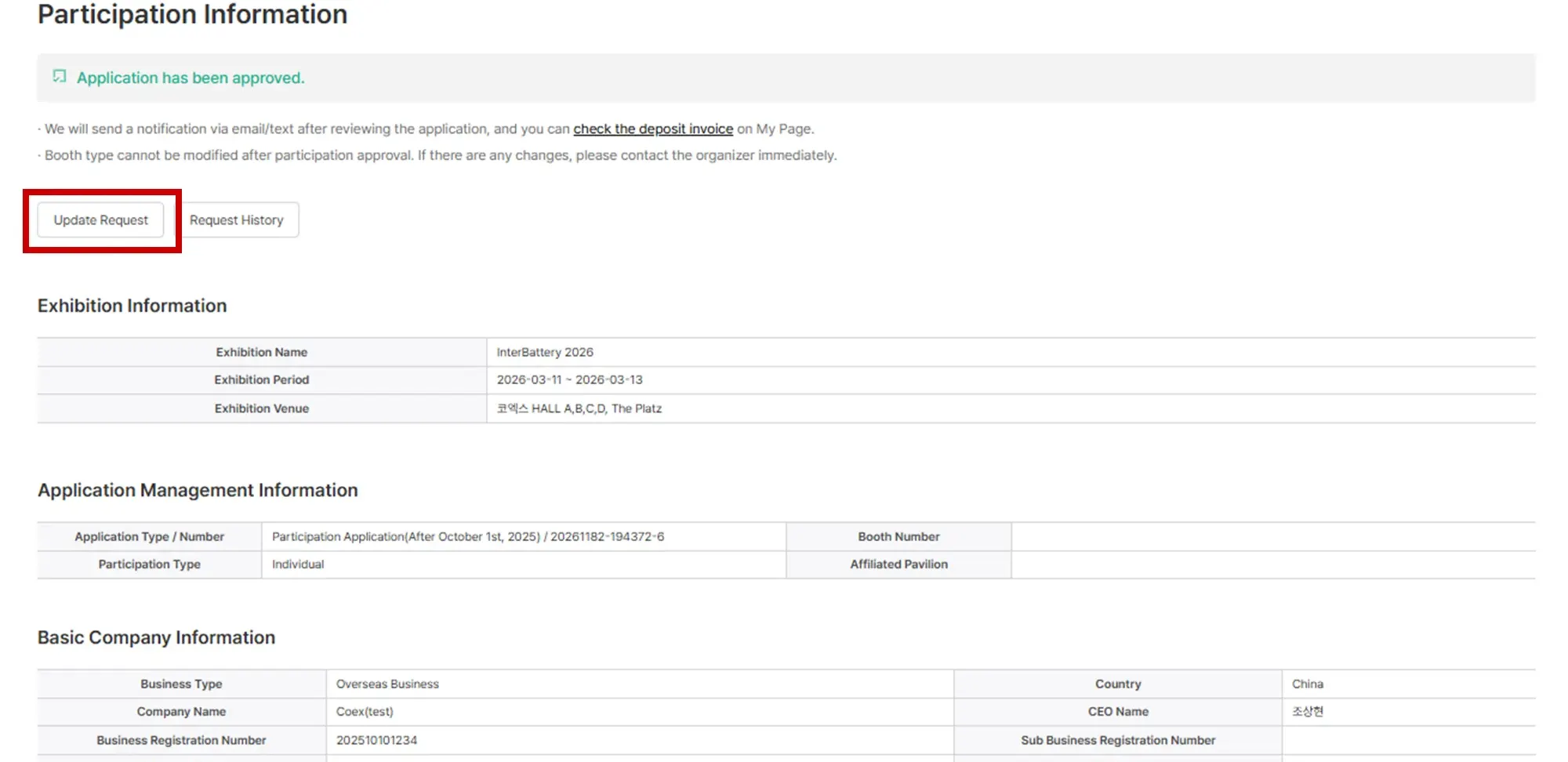
Click the [Update Request] button.
•
The modification will be applied after administrator review.
•
You can check the progress of your modification request in [Request History]