To Edit Company Information
1.
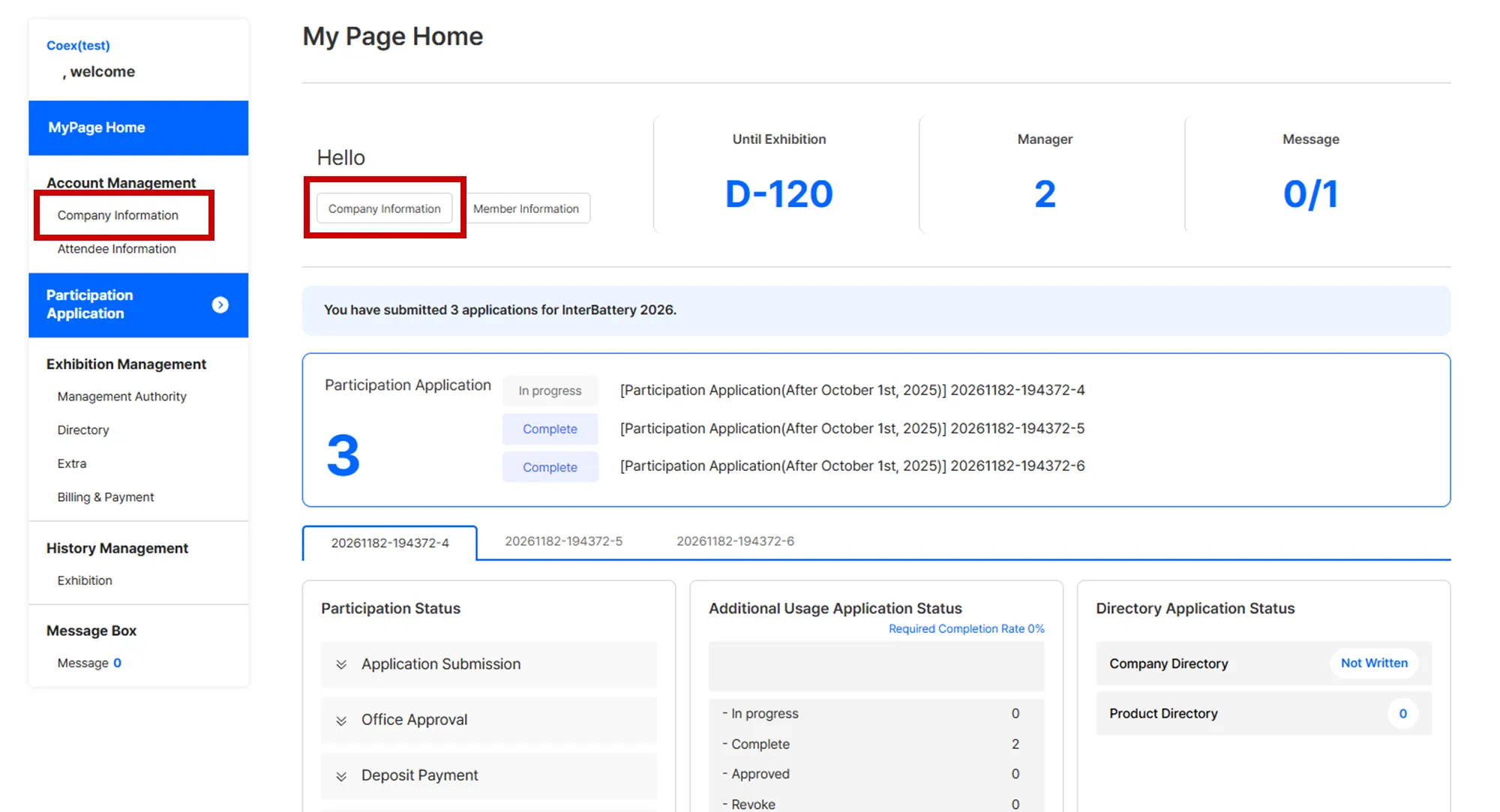
In MyPage, click [Company Information]
2.
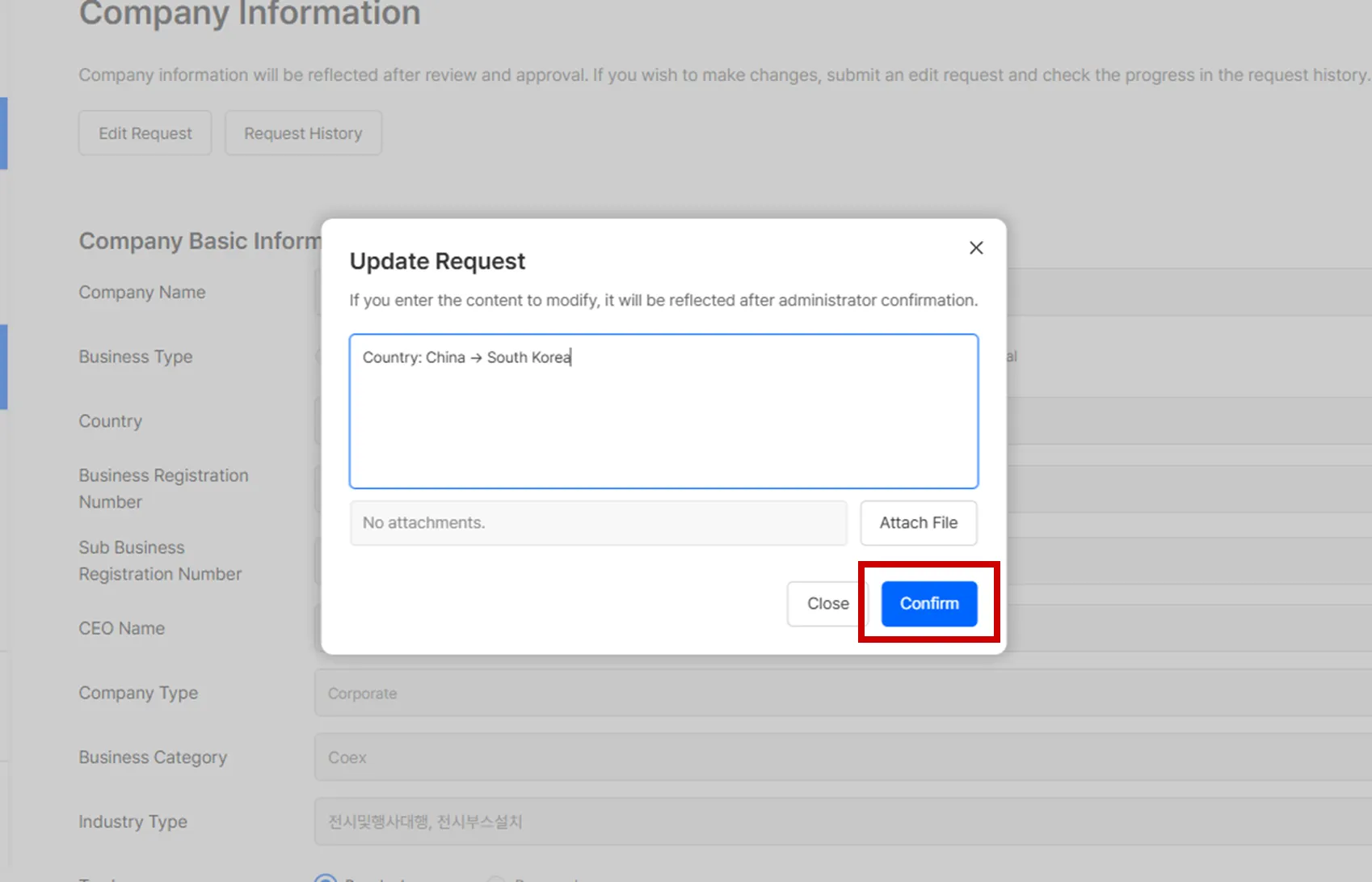
Click [Edit Request]

3.
Enter the revised details and click Confirm.
To Edit Contact Person (Application Authority)
1.
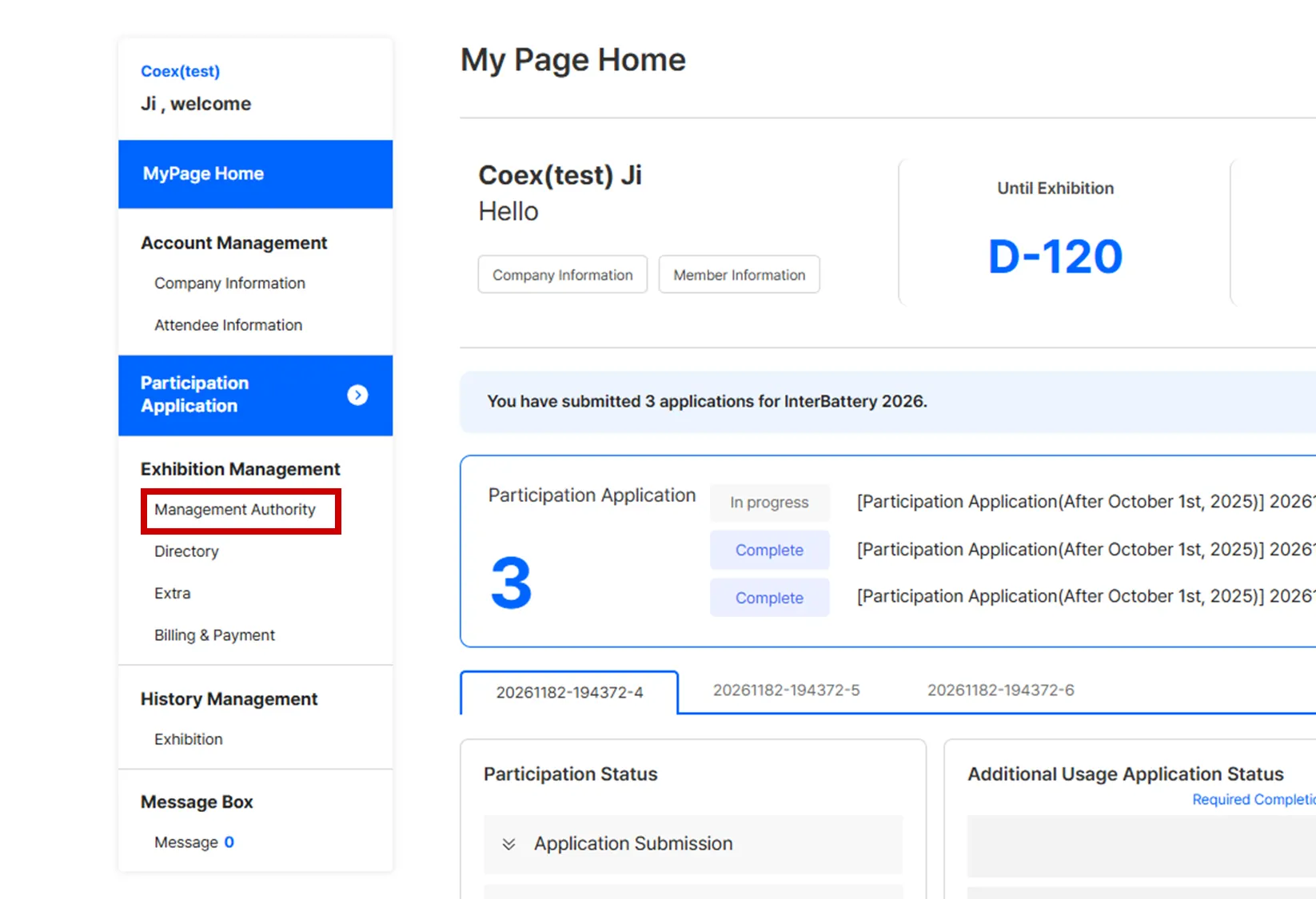
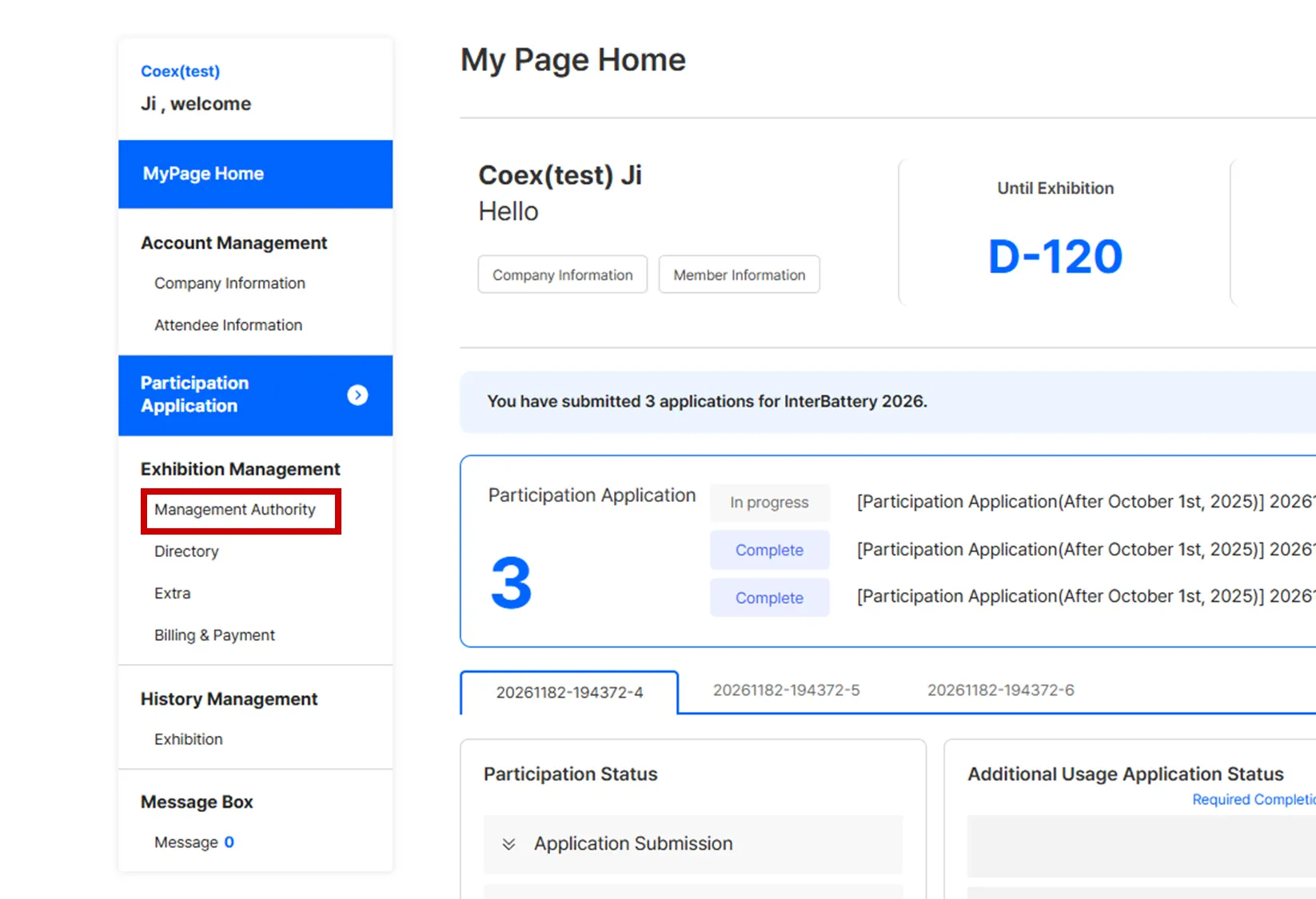
In MyPage, navigate to [Exhibition Management] > [Management Authority]
2.
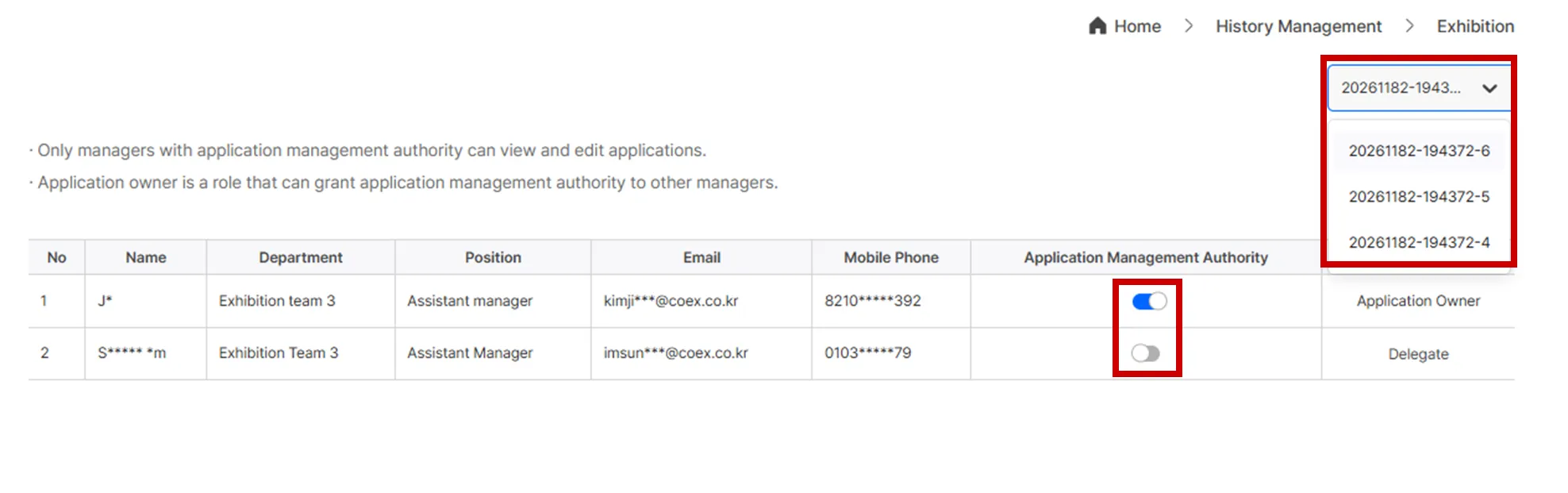
In the right-hand list, select the application for which you wish to change the contact person, and then grant the management authority.
•
The Application Owner can grant application management authority to other contact persons.
•
Only the contact person with Management Authority can view or modify the application.
•
If you cannot see the application details, please request the Main Contact Person to add your authority. If the Main Contact Person is unknown, please contact the Secretariat.
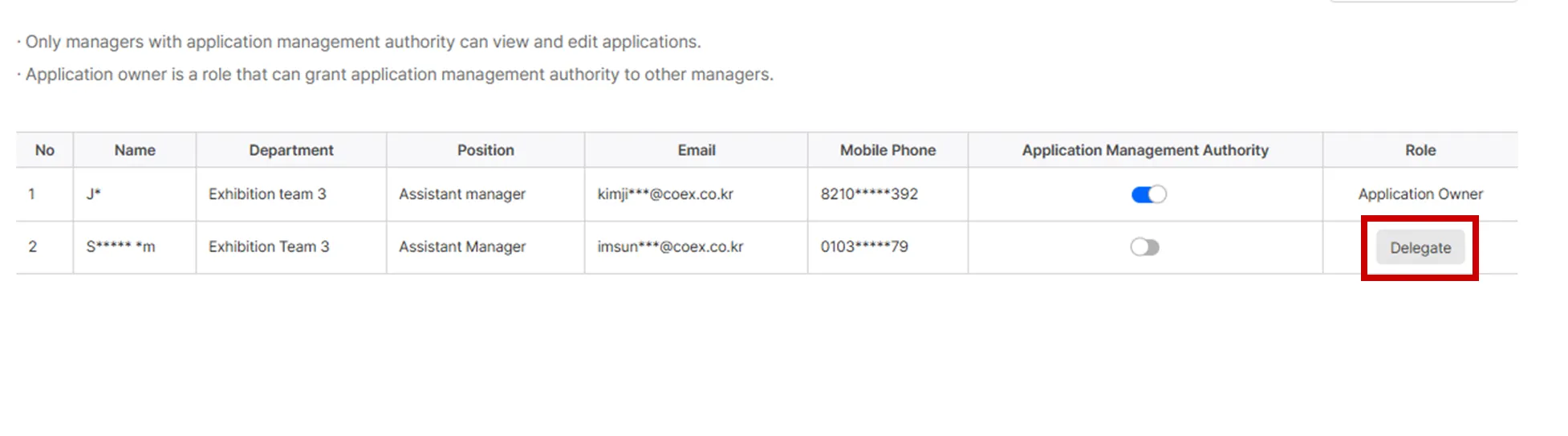
To Delegate Management Authority
Only the Application Owner can delegate this authority.
1.
In MyPage, navigate to [Exhibition Management] > [Management Authority]
2.
In the right-hand list, select the application for which you wish to delegate the authority.

3.
Click [Delegate] next to the contact person you want to transfer the authority to.